Dialog widget for creating and editing user accounts. More...
#include <AccountDetailDialog.hpp>
Inherits QWidget.
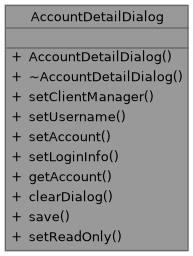
Collaboration diagram for AccountDetailDialog:
Signals | |
| void | accountUpdated (const boost::uuids::uuid &account_id) |
| void | accountCreated (const boost::uuids::uuid &account_id) |
| void | accountDeleted (const boost::uuids::uuid &account_id) |
| void | statusMessage (const QString &message) |
| void | errorMessage (const QString &message) |
| void | isDirtyChanged (bool isDirty) |
| void | revertRequested (const accounts::domain::account &account) |
| Emitted when user requests to revert to the displayed historical version. | |
Public Member Functions | |
| AccountDetailDialog (QWidget *parent=nullptr) | |
| void | setClientManager (ClientManager *clientManager) |
| void | setUsername (const std::string &username) |
| void | setAccount (const accounts::domain::account &account) |
| Sets the account to display/edit. | |
| void | setLoginInfo (const std::optional< accounts::domain::login_info > &loginInfo) |
| Sets the login info to display (read-only). | |
| accounts::domain::account | getAccount () const |
| Gets the current account state from the form. | |
| void | clearDialog () |
| Clears all form fields and resets dialog state. | |
| void | save () |
| Saves the account (create or update). | |
| void | setReadOnly (bool readOnly, int versionNumber=0) |
| Sets the dialog to read-only mode for viewing historical versions. | |
Detailed Description
Dialog widget for creating and editing user accounts.
In create mode (new account):
- Username, email, and password fields are editable
- Password and confirmation are required
In edit mode (existing account):
- Username is read-only
- Password fields are hidden (password changes not supported yet)
- Email and admin status can be modified
Member Function Documentation
◆ setAccount()
| void setAccount | ( | const accounts::domain::account & | account | ) |
Sets the account to display/edit.
If account has an empty username, dialog enters create mode. Otherwise, dialog enters edit mode with username read-only.
- Parameters
-
account The account to display/edit
◆ setLoginInfo()
| void setLoginInfo | ( | const std::optional< accounts::domain::login_info > & | loginInfo | ) |
Sets the login info to display (read-only).
This populates the Login Status group with the current login status information for the account.
- Parameters
-
loginInfo The login info to display, or nullopt to clear
◆ getAccount()
| accounts::domain::account getAccount | ( | ) | const |
Gets the current account state from the form.
- Returns
- The account with values from the form fields
◆ setReadOnly()
| void setReadOnly | ( | bool | readOnly, |
| int | versionNumber = 0 |
||
| ) |
Sets the dialog to read-only mode for viewing historical versions.
In read-only mode:
- All fields are disabled
- Save button is hidden
- Delete button is hidden
- Revert button is shown
- Toolbar shows version information
- Parameters
-
readOnly True to enable read-only mode versionNumber The historical version number being displayed
◆ revertRequested
|
signal |
Emitted when user requests to revert to the displayed historical version.
- Parameters
-
account The account data to revert to.