Manages the pulsing animation for recently-changed items in models. More...
#include <RecencyPulseManager.hpp>
Inherits QObject.
Signals | |
| void | pulse_state_changed (bool is_on) |
| Emitted whenever the pulse state changes. | |
| void | pulsing_complete () |
| Emitted when the pulsing animation completes all cycles. | |
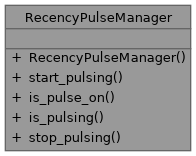
Public Member Functions | |
| RecencyPulseManager (QObject *parent=nullptr, int pulse_interval_ms=500, int max_pulse_cycles=6) | |
| Constructs a RecencyPulseManager. | |
| void | start_pulsing () |
| Start or restart the pulsing animation. | |
| bool | is_pulse_on () const |
| Check if the pulse is currently in the "on" (highlighted) state. | |
| bool | is_pulsing () const |
| Check if the manager is currently pulsing. | |
| void | stop_pulsing () |
| Stop the pulsing animation immediately. | |
Detailed Description
Manages the pulsing animation for recently-changed items in models.
This class provides a consistent pulsing mechanism for highlighting newly added or modified items in table models. The pulse alternates between on and off states for a configurable number of cycles.
Usage:
- Create a RecencyPulseManager as a member of your model
- Connect to pulse_state_changed to emit dataChanged for ForegroundRole
- Connect to pulsing_complete to clear your recency tracking data
- Call start_pulsing() when new items are detected
- Use is_pulse_on() in your data() method to determine highlight state
Constructor & Destructor Documentation
◆ RecencyPulseManager()
|
explicit |
Constructs a RecencyPulseManager.
- Parameters
-
parent Parent QObject pulse_interval_ms Interval between pulse state changes (default 500ms) max_pulse_cycles Number of complete on/off cycles (default 6)
Member Function Documentation
◆ start_pulsing()
| void start_pulsing | ( | ) |
Start or restart the pulsing animation.
Resets the pulse count and starts the timer. If already pulsing, restarts from the beginning.
◆ is_pulse_on()
| bool is_pulse_on | ( | ) | const |
Check if the pulse is currently in the "on" (highlighted) state.
Use this in your model's data() method for ForegroundRole to determine if a recently-changed item should be highlighted.
- Returns
- true if items should be highlighted, false otherwise
◆ is_pulsing()
| bool is_pulsing | ( | ) | const |
Check if the manager is currently pulsing.
- Returns
- true if the pulse timer is active
◆ pulse_state_changed
|
signal |
Emitted whenever the pulse state changes.
Connect this to your model's dataChanged signal to update the view. The parameter indicates the new pulse state (true = highlighted).
◆ pulsing_complete
|
signal |
Emitted when the pulsing animation completes all cycles.
Connect this to a slot that clears your recency tracking data (e.g., recent_codes_.clear()).