Test Scenario: Verify ir_curve_feed tick-batch publishing
Table of Contents
This page documents a test scenario verifying Tick-batch publishing and persistence for curve instruments in IR Rates synthetic data generation. It is filled in with the target dialog and checklist of steps before testing starts; the QA Validation Runner panel rewrites * Results in place on save.
1. Scenario Info
| Field | Value |
|---|---|
| Verifies task | Tick-batch publishing and persistence for curve instruments |
| Parent story | IR Rates synthetic data generation |
| Target dialog | IrCurveGenerationConfigMdiWindow, IrCurveTemplateEntryMdiWindow, MarketSeriesMdiWindow, MarketObservationMdiWindow — Menu: Synthetic > IR Curve Generation Configs / IR Curve Template Entries; Market Data > Market Series / Market Observations |
| Clients | |
| State | PENDING |
2. Steps
Each step is its own heading — the title should be short (it's shown
as a single list entry in the QA Validation Runner); put any longer
instructions in the body below the title. The panel writes each
step's PASS/FAIL/PENDING outcome and notes back as a *** Result
child heading directly under it.
2.1. Connect as the system tenant admin
Log in against the eager_maxwell environment as super_admin /
Secure-Password-123, tenant system (not Barclays Plc). Auto-start
for IR curve feeds currently only reads system-tenant configs
(matching the existing FX auto_start_enabled_feeds pattern) — there
is no manual "start" NATS control-plane for curve feeds yet (Phase 1
scope; see the seed-ir-curve-sample-data follow-on task), so a
per-tenant config (e.g. one created under Barclays Plc) would never
actually tick without one.
2.1.1. Result
| Field | Value |
|---|---|
| Status | PASS |
2.2. Confirm the seeded IR curve config
Open Synthetic > IR Curve Generation Configs. Confirm a row exists
for currency USD, index SOFR, enabled = true, process type
VASICEK. Open its detail dialog and confirm kappa=/=theta=/=sigma=/
=initial_rate match a day-scaled Vasicek calibration (not raw annual
values — see the seed-ir-curve-sample-data follow-on task for why
that distinction matters).
2.2.1. Result
| Field | Value |
|---|---|
| Status | PASS |
| Notes | 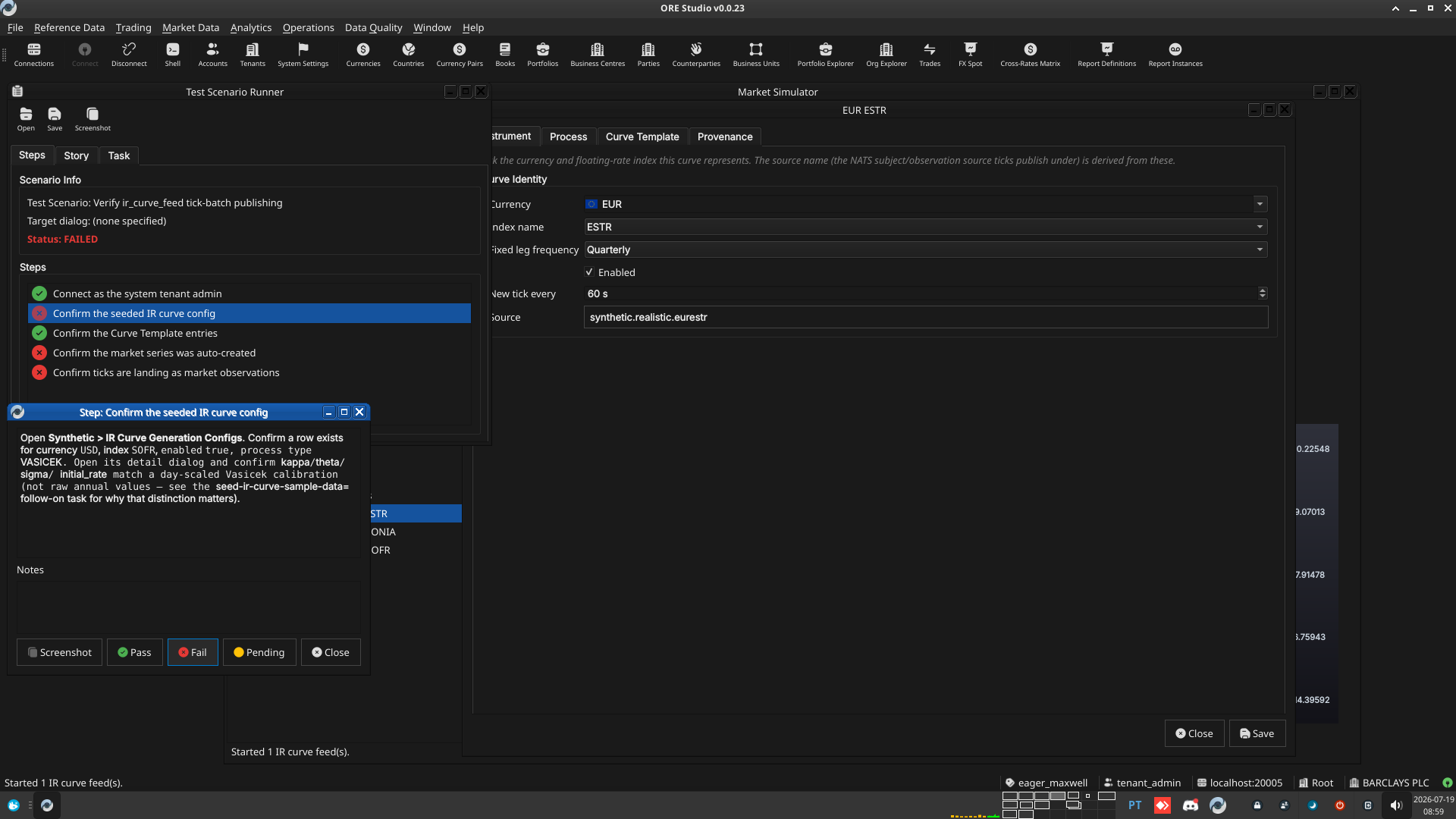 |
2.3. Confirm the Curve Template entries
Open Synthetic > IR Curve Template Entries, filtered to the config
above. Confirm three ordered rows: sequence 0 (SPOT=→=3M, DEPO),
sequence 1 (3M=→=6M, FRA), sequence 2 (SPOT=→=2Y, IRS).
2.3.1. Result
| Field | Value |
|---|---|
| Status | PASS |
2.4. Confirm the market series was auto-created
Open Market Data > Market Series. Confirm a RATES/YIELD/USD/SOFR
row exists, with asset_class = rates, is_scalar = false — created
automatically by the ingest loop on the first tick, not manually.
2.4.1. Result
| Field | Value |
|---|---|
| Status | PASS |
| Notes | 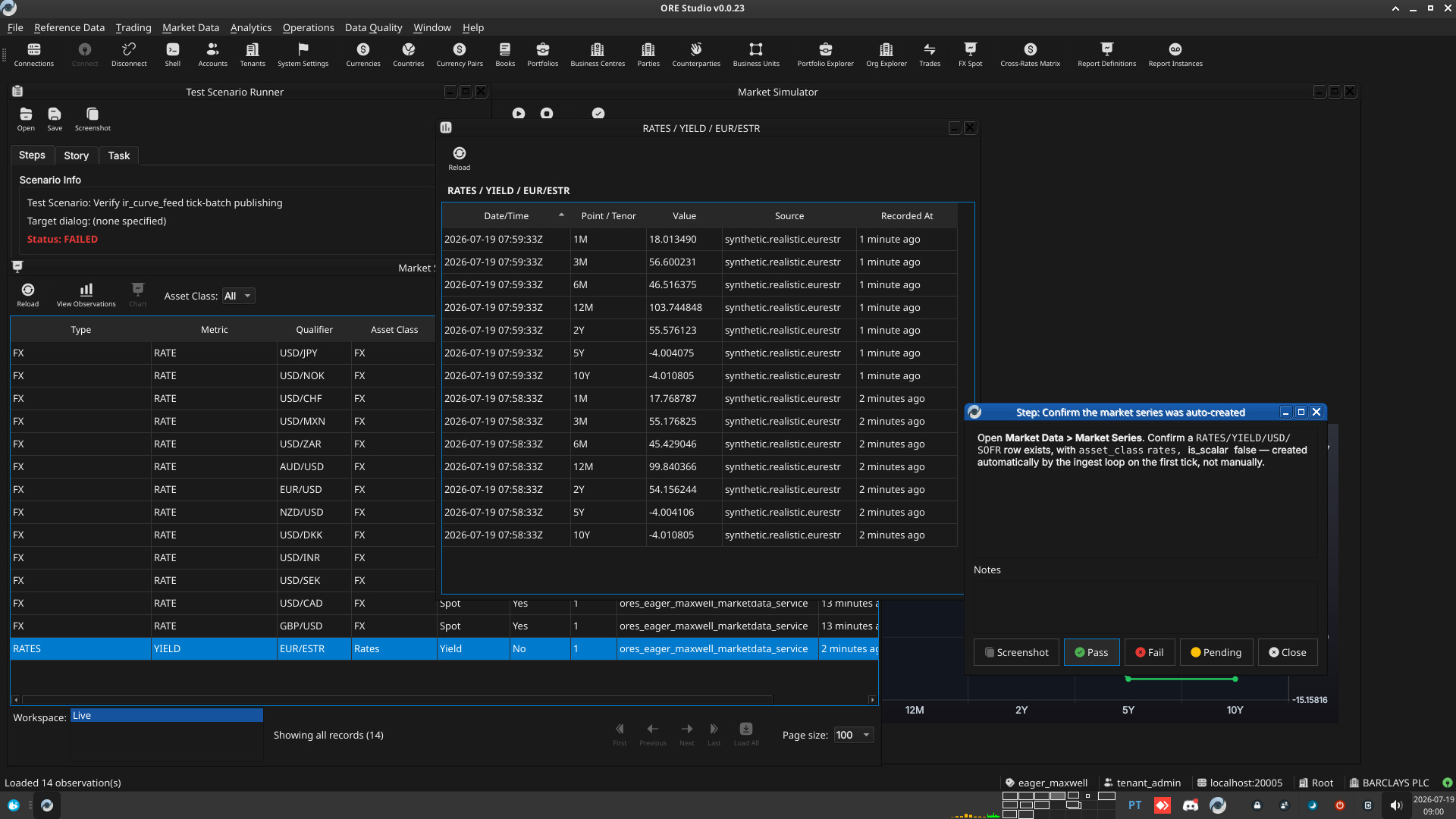 |
2.5. Confirm ticks are landing as market observations
Open Market Data > Market Observations, filtered to the
RATES/YIELD/USD/SOFR series. Confirm three point_id values are
present (3M, 6M, 2Y), each with a numeric value, and that
successive batches (poll again after ~1 minute — the config publishes
every tick at 60 ticks/hour) share one observation_datetime per
batch and add a new batch on the next tick, with source =
ir_curve.usd.sofr.
2.5.1. Result
| Field | Value |
|---|---|
| Status | PASS |
3. Results
| Field | Value |
|---|---|
| Status | PASSED |
| Completed at | 2026-07-19T08:01:18Z |
| Branch | feature/tick-batch-publishing |
| Commit | adc49ccbd |
| Worktree | eager_maxwell |
4. Notes
Overall: steps 1-3 (login, config, Curve Template entries) pass
cleanly through the generic CRUD list windows. Steps 4-5 fail only
because the tester was looking in MarketSimulatorWindow ("Market
Simulator"), which is hardcoded FX-only and has no IR curve view –
not because the feature doesn't work. The actual mechanism (tick
generation, batching, publish, ingest, auto-create series, persist
observations) is independently confirmed correct via direct SQL
against a live, auto-started system-tenant feed. Re-run this scenario
once the seed-ir-curve-sample-data follow-on task adds an IR view to
the manual control-plane, at which point steps 4-5 should be
re-verified through the intended UI path rather than direct SQL.