Test Scenario: Bind and verify an IR curve feed via SyntheticBindingDialog
Table of Contents
- 1. Scenario Info
- 2. Steps
- 3. Results
- 4. Notes
This page documents a test scenario verifying Extend SyntheticBindingDialog to cover IR curve configs in IR Rates synthetic data: dataset seeding, index cleanup, dual-curve, quoting conventions. It is filled in with the target dialog and checklist of steps before testing starts; the QA Validation Runner panel rewrites * Results in place on save.
1. Scenario Info
| Field | Value |
|---|---|
| Verifies task | Extend SyntheticBindingDialog to cover IR curve configs |
| Parent story | IR Rates synthetic data: dataset seeding, index cleanup, dual-curve, quoting conventions |
| Target dialog | (Qt dialog class under test, if any.) |
| Clients | |
| State | PENDING |
2. Steps
Each step is its own heading — the title should be five to seven
words so it fits on one line in the QA Validation Runner's step list
without wrapping or truncating (e.g. "Edit and save the record", not
a full sentence describing the whole operation). The body below the
title is a bullet-point checklist, not a prose paragraph: give the
tester every piece of context needed to execute that one step without
looking anything up elsewhere — what UI state must already exist,
exactly what to click or type, and exactly what confirms the step
passed. The panel writes each step's PASS/FAIL/PENDING outcome and
notes back as a *** Result child heading directly under it.
2.1. Connect to tenant Barclays Plc
Log in against the bright_faraday environment as
tenant_admin@barclays_plc / Secure-Password-123 and select
BARCLAYS PLC.
2.1.1. Result
| Field | Value |
|---|---|
| Status | PASS |
2.2. Open SyntheticBindingDialog and inspect the list
From the Market Simulator / synthetic marketdata screen, open
SyntheticBindingDialog. Confirm:
- Both FX (
fx_spot_generation_config) and IR curve (ir_curve_generation_config) rows are listed together. - A Type column shows "FX" or "IR" for every row.
- Rows that already have an existing feed binding are pre-ticked.
2.2.1. Result
| Field | Value |
|---|---|
| Status | PASS |
2.3. Bind an unbound IR curve feed
Tick an IR curve row that has no existing binding (Type = IR, not pre-ticked) and trigger the bulk-create-bindings action. Confirm the dialog reports success and the row is now shown as bound (e.g. pre-ticked on reopen).
2.3.1. Result
| Field | Value |
|---|---|
| Status | PASS |
2.4. Start the bound IR curve feed and let it tick
Start the synthetic feed for the IR curve config just bound (Market Simulator tree or equivalent start control) and let it run long enough to publish at least one tick.
2.4.1. Result
| Field | Value |
|---|---|
| Status | PASS |
2.5. Verify the tick landed in market_observations
Via SQL (compass sql -- -c "select * from
ores_marketdata_market_observations_tbl order by observed_at desc
limit 5;") or an observation-backed screen, confirm a fresh row
exists for the IR curve's ore_key (e.g. "USD/LIBOR-3M") matching
the feed just started.
2.5.1. Result
| Field | Value |
|---|---|
| Status | PASS |
2.6. Confirm no regression to the FX-only flow
Tick only FX rows (leave IR rows untouched), trigger bulk-create-bindings, and confirm it still succeeds exactly as before — no errors, no unexpected IR rows affected.
2.6.1. Result
| Field | Value |
|---|---|
| Status | FAIL |
| Notes | - cannot see CRMs: only have "all" in options and that opens blank.; - fx spot screen is showing rates; ; 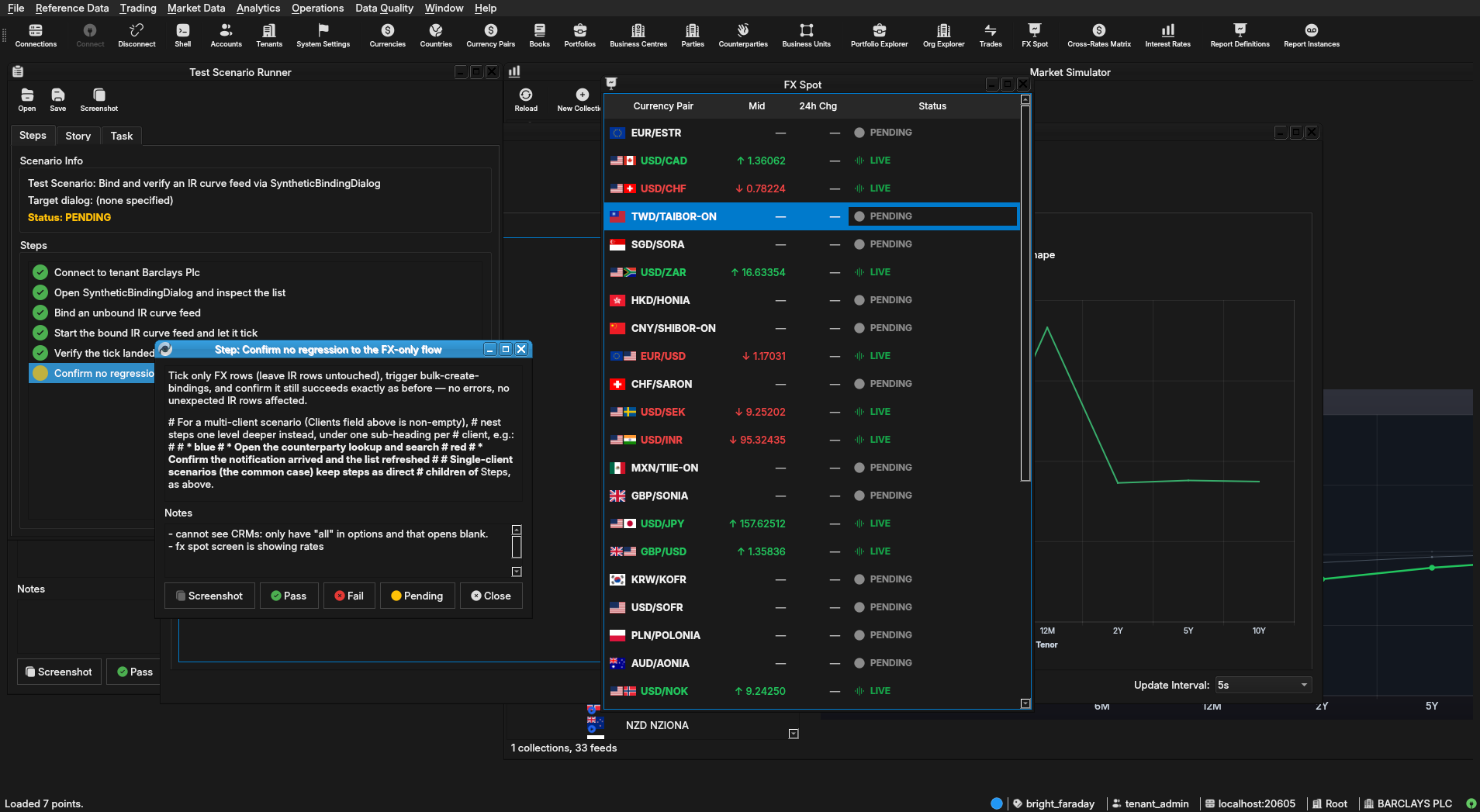 |
3. Results
| Field | Value |
|---|---|
| Status | FAILED |
| Completed at | 2026-07-29T10:03:12Z |
| Branch | feature/extend-synthetic-binding-dialog-to-ir-curves |
| Commit | 6ba484473 |
| Worktree | bright_faraday |