Introduction
Table of Contents
This chapter introduces ORE Studio: what the application is and the problem it solves, the open-source quantitative finance engines it builds upon, the audience it is written for, and the conventions used throughout this manual. By the end of the chapter the reader should understand where ORE Studio sits in the risk-technology landscape and how to navigate the remainder of the book.
What is ORE Studio?
ORE Studio is a desktop application for exploring, configuring, and running quantitative finance calculations. It provides a graphical environment built around the Open Source Risk Engine (ORE), a widely-used open-source library for pricing derivatives and measuring financial risk, which is itself built on QuantLib. ORE Studio handles the data — storing trades, market data, and model configurations, and presenting the results — while ORE and QuantLib provide the mathematics.
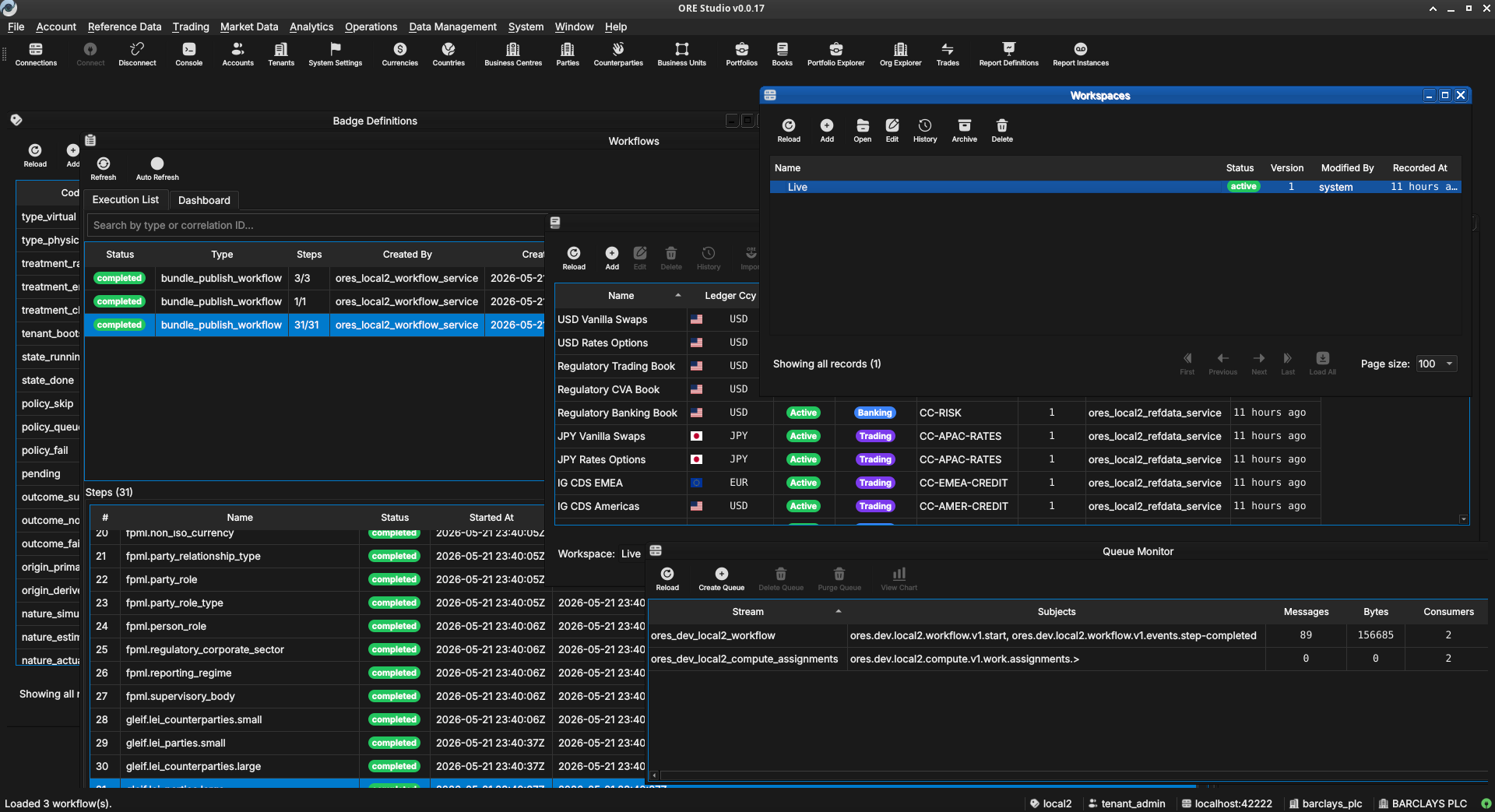
Figure 1: ORE Studio v0.0.17 — the main workspace showing the instrument and trade management views.
Audience
This manual is written for several kinds of reader:
- Analysts, traders, quants, and middle-office staff who want to explore financial instruments and risk calculations through a graphical interface. No programming experience is required.
- Students and researchers learning quantitative finance. ORE Studio makes it possible to experiment with derivative pricing, yield curve construction, and risk measures without writing code.
- LLM-based agents and coding assistants that interact with ORE Studio on a user's behalf, help configure workspaces, interpret results, or draft analytical reports. Multimodal models — those capable of processing both text and images — are preferred, as the manual makes extensive use of screenshots to describe the user interface.
The focus throughout is on what you can do through the application itself: entering trades, configuring market data, running analytics, and understanding the results.
Functional Areas
ORE Studio is organised around a set of functional areas accessible from the main menu:
- Reference data — currencies, business calendars, counterparties, and market conventions that form the foundation for everything else.
- Instruments and trades — define, store, and manage financial instruments and their terms.
- Market data — yield curves, volatility surfaces, fixing histories, and other inputs to pricing and risk models.
- Model configuration — choose and parameterise pricing engines, simulation models, and sensitivity specifications.
- Analytics — run calculations and view results: net present value, sensitivities (Greeks), credit and funding valuation adjustments (XVA), Monte Carlo simulations, and stress tests.
All data is stored persistently, so trades, curves, and configurations can be saved, revisited, and reused across sessions.
What ORE Studio Is Not
ORE Studio is a learning and exploration environment, not a production trading or risk system. It is independent of and unaffiliated with ORE, QuantLib, or any financial institution. All quantitative mathematics are provided by ORE and QuantLib; ORE Studio is the surface through which they are configured and their results explored. Users who need production-grade performance, real-time market data feeds, or regulatory reporting should look to enterprise risk platforms.
How This Manual Is Organised
The chapters follow the natural order of first use. After this introduction, Connecting to ORE Studio covers launching the application, establishing a connection to the backend, and orienting yourself in the main window; Initial Setup then covers provisioning the system, tenants, and parties. Later chapters cover each functional area in turn. You do not need to read the manual cover to cover; each chapter can be read independently once the system is up and running.
Early-Stage Software Notice
Early-stage software. ORE Studio is currently in active development (version 0.x). Features, workflows, and this documentation are all evolving and may change between releases. Numbers produced by the system are for learning and exploration only — they must not be used for real trading, risk management, or any financial decision-making.
A Note on This Document
This manual was generated entirely by large language models (LLMs) working under human supervision. While every effort has been made to ensure accuracy, LLM-generated content can contain errors, omissions, or descriptions that do not match the actual software behaviour. If you find a discrepancy between this manual and the application, trust the application. Please report inaccuracies via the project issue tracker so they can be corrected.