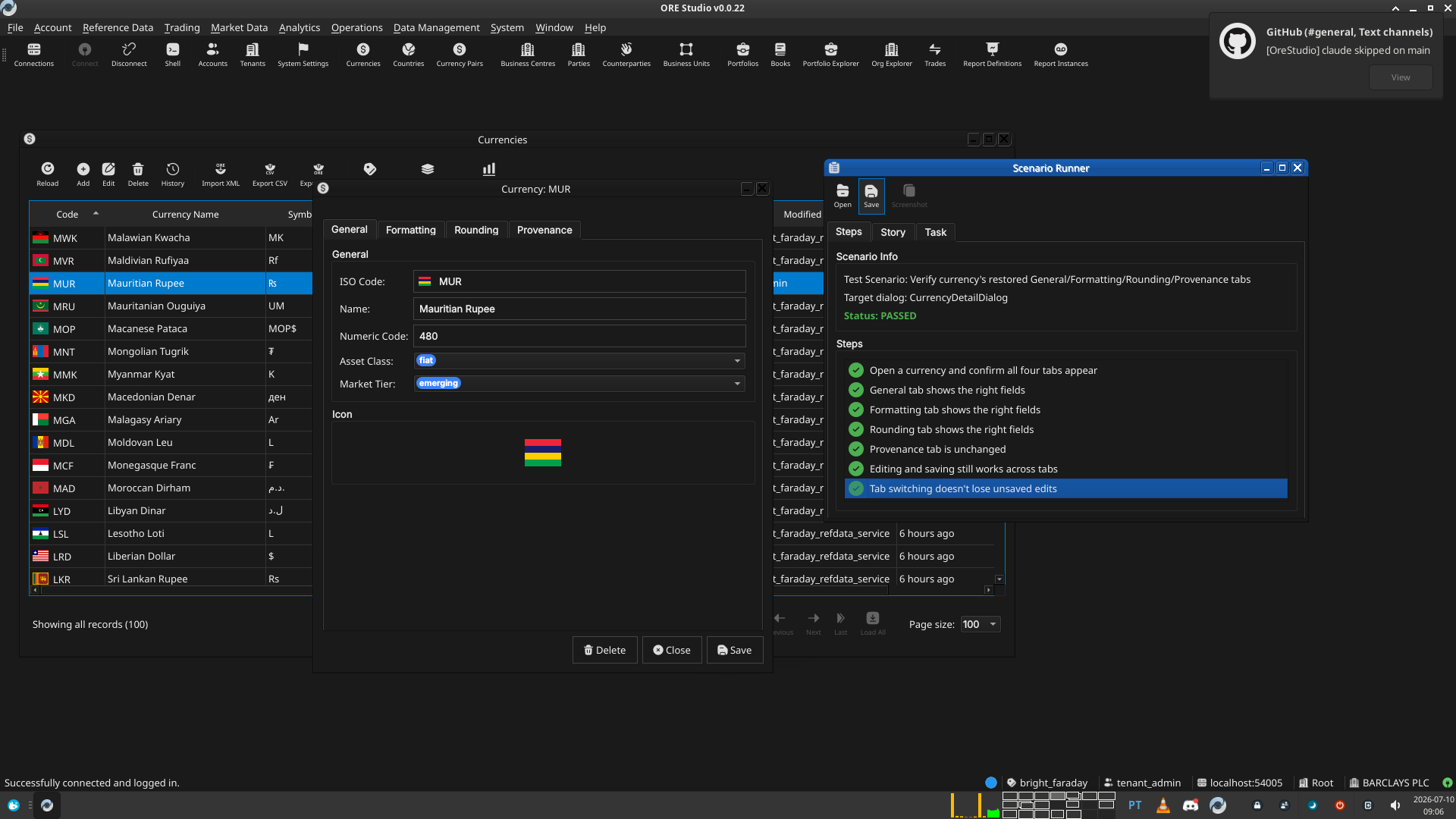
Test Scenario: Verify currency's restored General/Formatting/Rounding/Provenance tabs
Table of Contents
- 1. Scenario Info
- 2. Steps
- 2.1. Open a currency and confirm all four tabs appear
- 2.2. General tab shows the right fields
- 2.3. Formatting tab shows the right fields
- 2.4. Rounding tab shows the right fields
- 2.5. Provenance tab is unchanged
- 2.6. Editing and saving still works across tabs
- 2.7. Tab switching doesn't lose unsaved edits
- 3. Results
- 4. Notes
This page documents a test scenario verifying Apply view_group tabs to the currency entity (pilot) in Codegen support for view groups (Qt detail-dialog tabs). It is filled in with the target dialog and checklist of steps before testing starts; the QA Validation Runner panel rewrites * Results in place on save.
1. Scenario Info
| Field | Value |
|---|---|
| Verifies task | Apply view_group tabs to the currency entity (pilot) |
| Parent story | Codegen support for view groups (Qt detail-dialog tabs) |
| Target dialog | CurrencyDetailDialog |
| Clients | |
| State | PENDING |
2. Steps
2.1. Open a currency and confirm all four tabs appear
Open any currency's detail dialog (e.g. from the Currencies window, double-click a row). Confirm the dialog shows four tabs, in this order: General, Formatting, Rounding, Provenance — matching the manual's description ("The Currency Details dialog has four tabs…").
2.1.1. Result
| Field | Value |
|---|---|
| Status | PASS |
2.2. General tab shows the right fields
Confirm the General tab shows: ISO Code, Name, Numeric Code, Asset Class (a combo), Market Tier (a combo), and the currency's flag icon. Confirm ISO Code is read-only (it's the primary key).
2.2.1. Result
| Field | Value |
|---|---|
| Status | PASS |
2.3. Formatting tab shows the right fields
Confirm the Formatting tab shows: Symbol, Fraction Symbol, Fractions Per Unit, and Format — and none of the General tab's fields.
2.3.1. Result
| Field | Value |
|---|---|
| Status | PASS |
2.4. Rounding tab shows the right fields
Confirm the Rounding tab shows: Rounding Type (a combo) and Rounding Precision — and none of the other tabs' fields.
2.4.1. Result
| Field | Value |
|---|---|
| Status | PASS |
2.5. Provenance tab is unchanged
Confirm the Provenance tab still shows the read-only audit metadata (version, service, who, when, change reason, commentary) exactly as before — this tab isn't part of view_group, so it should be completely untouched by this change.
2.5.1. Result
| Field | Value |
|---|---|
| Status | PASS |
2.6. Editing and saving still works across tabs
Change a field on one tab (e.g. the Format field on Formatting), switch to another tab, then Save. Confirm the change reason dialog appears, save succeeds, and the change actually took (reopen the dialog or check the list window's updated row).
2.6.1. Result
| Field | Value |
|---|---|
| Status | PASS |
2.7. Tab switching doesn't lose unsaved edits
Type into a field on one tab, switch to a different tab, then switch back. Confirm the typed value is still there (tab switching shouldn't reset the underlying widgets — Qt keeps unrelated tabs' state by default, but worth confirming nothing in the generated code interferes with it).
2.7.1. Result
| Field | Value |
|---|---|
| Status | PASS |
3. Results
| Field | Value |
|---|---|
| Status | PASSED |
| Completed at | 2026-07-10T08:06:53Z |
| Branch | feature/codegen-view-groups |
| Commit | 039fe4ffd |
| Worktree | bright_faraday |
4. Notes