Currencies
Table of Contents
Currency management is covered here end to end: the ISO 4217 standard and OreStudio's extensions, every screen in the Qt UI, and the three classification tables currencies depend on — rounding types, market tiers, and monetary natures.
Overview
Currencies are the foundational reference data entity. Every trade, cashflow, position, and P&L figure in the system is denominated in a currency; getting the currency record right is a prerequisite for everything else.
ISO 4217 and its limitations
The international standard for currency codes is ISO 4217. It defines
a three-letter alphabetic code (USD, EUR, GBP), a three-digit
numeric code (840, 978, 826), a currency name, and the number of
decimal places — for example, USD has 2 minor units, meaning amounts
are expressed to the nearest cent.
ISO 4217 is widely adopted and OreStudio uses it as its primary identifier. However, the standard has gaps that matter in practice:
- It does not classify currencies by market tier — the distinction between major G10 currencies and emerging-market currencies is economically important but absent from the standard.
- It does not cover digital assets. Cryptocurrencies such as Bitcoin or Ethereum are increasingly relevant in financial systems but have no ISO 4217 code.
- It says nothing about display formatting — whether a symbol precedes or follows the amount, what the thousands and decimal separators are, or how the fractional unit is labelled.
- It does not specify rounding conventions — whether a calculation result should be rounded up, down, or to the nearest unit.
OreStudio extends the ISO 4217 model with additional fields to cover these gaps: monetary nature, market tier, currency symbol, fraction symbol, a printf-style format string, and configurable rounding rules. The standard fields remain primary; the extensions are supplementary.
The Currencies window
Open the Currencies window from the Reference Data menu. It lists all currencies defined in the tenant, with one row per currency.
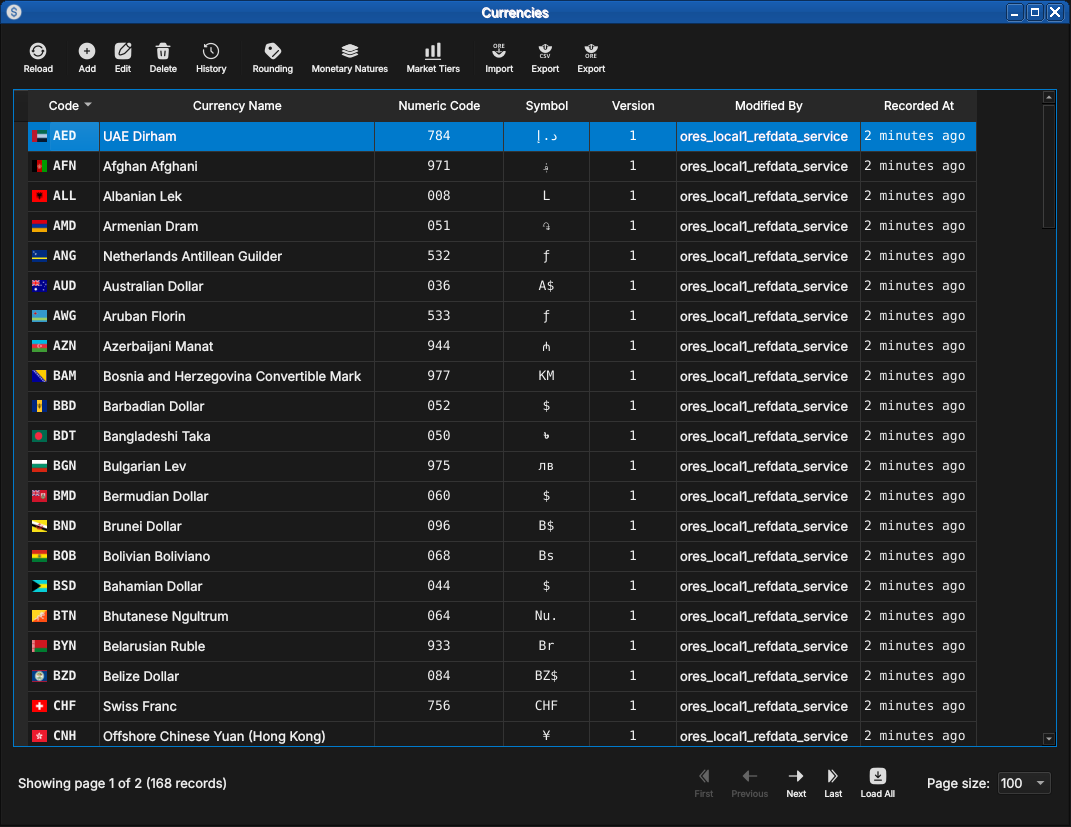
Figure 1: The Currencies window, showing the full list of currencies in the tenant. Each row shows the ISO code, name, numeric code, symbol, version number, the identity of the last modifier, and when the record was last recorded. The status bar shows the current page and total record count.
The toolbar buttons reload the list and adjust the display. The list is paginated; use the page controls at the bottom right to navigate. Double-clicking a row opens the Currency Details dialog.
Currency Details
The Currency Details dialog has four tabs: General, Formatting, Rounding, and Provenance. The three action buttons at the bottom — Delete, Close, and Save — apply to the currency as a whole.
General
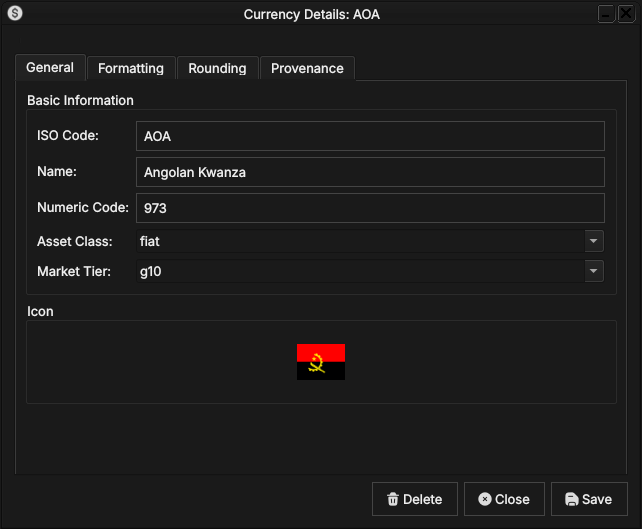
Figure 2: The General tab for the Angolan Kwanza (AOA). It shows the ISO code, full name, numeric code, monetary nature, market tier, and the country flag icon associated with the currency.
The General tab carries the core identity of the currency:
- ISO Code — the three-letter ISO 4217 alphabetic code. This is the primary key and cannot be changed after creation.
- Name — the full English name of the currency (e.g. Angolan Kwanza).
- Numeric Code — the ISO 4217 numeric code (e.g.
973for AOA). - Asset Class — the monetary nature of the currency:
fiatfor a government-issued currency,crypto.majorfor a major digital asset. See Monetary Natures below for the full list. - Market Tier — the currency's liquidity classification:
g10for the major currencies,emergingfor others. See Market Tiers below. - Icon — the country flag for the currency's issuing nation, populated automatically from the system's image dataset on import.
Formatting
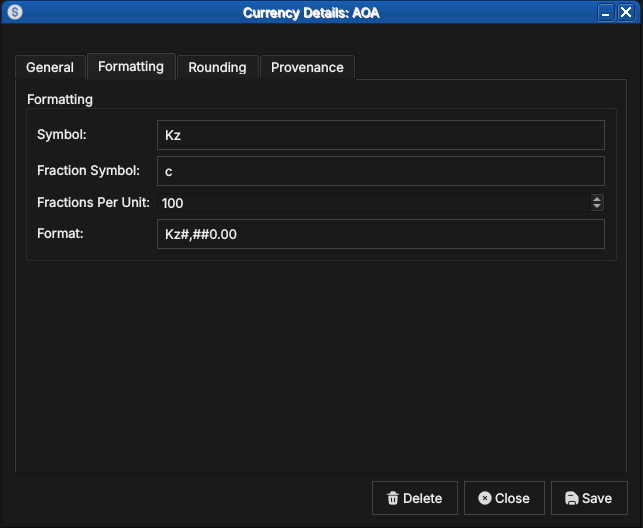
Figure 3: The Formatting tab for AOA, showing the currency symbol (Kz), the fractional unit symbol (c for centavo), fractions per unit (100), and the display format string.
The Formatting tab controls how currency amounts are displayed:
- Symbol — the currency symbol, e.g.
Kzfor the Kwanza or$for the US Dollar. - Fraction Symbol — the symbol for the fractional unit, e.g.
cfor centavo. - Fractions Per Unit — the number of fractional units in one whole
unit. Most fiat currencies use
100; the Kuwaiti Dinar uses1000; currencies with no fractional unit (e.g. Japanese Yen) use0; cryptocurrencies typically use100000000. - Format — a printf-style format string controlling amount rendering,
e.g.
Kz#,##0.00producesKz1,234.56.
Rounding
The Rounding tab controls how calculated amounts are rounded before storage and display:
- Rounding Type — the rounding algorithm applied to amounts in this currency. See Rounding Types below for the full list of options.
- Rounding Precision — the number of decimal places to round to.
Typically
2for most fiat currencies and8for cryptocurrencies.
Provenance
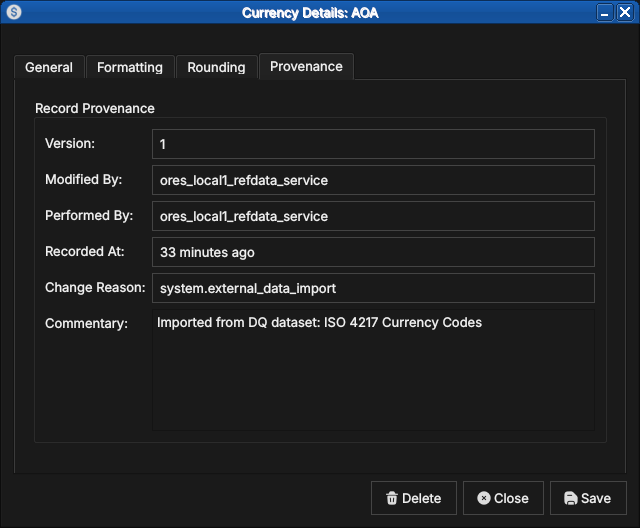
Figure 4: The Provenance tab showing record metadata: version number, the service that last modified the record, who performed the operation, when it was recorded, the change reason code, and a free-text commentary.
The Provenance tab is read-only and shows the audit metadata for the current version. See the Reference Data — Provenance section for a full description of the provenance fields common to all reference data entities.
Editing a currency
To edit a currency, open it in the Currency Details dialog, make your changes, and click Save. Before the record is written, OreStudio prompts for a change reason.
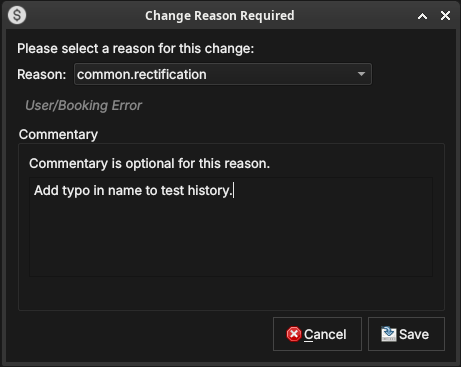
Figure 5: The Change Reason Required dialog, which appears before every save. A reason code must be selected; commentary is optional for some reason codes and required for others.
Select a Reason from the drop-down and add optional Commentary. Click Save to confirm. Every save creates a new version; the previous version is never overwritten.
Currency history
To view the full change history, open the details dialog and click the history icon in the title bar, or right-click the row and choose History.
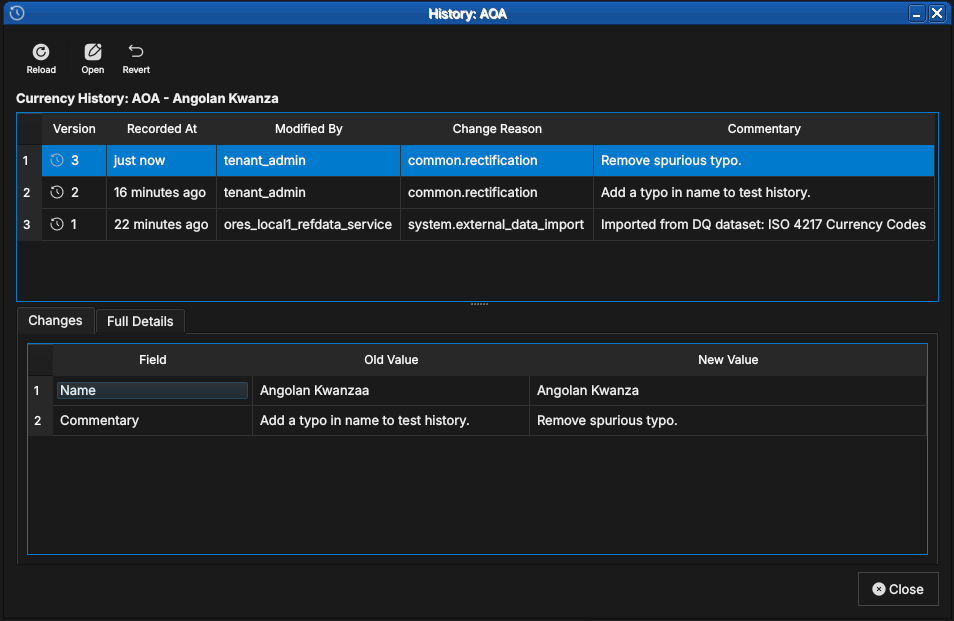
Figure 6: The History dialog for the Angolan Kwanza, showing three versions: the original ISO 4217 import (version 1), a test correction (version 2), and a final rectification (version 3, currently selected). The Changes tab shows that only the Name and Commentary fields changed between version 2 and version 3.
Select a version to populate the detail panel. The Changes tab shows which fields changed between the selected version and its predecessor. The Revert button reinstates any historical version as a new version, preserving the full audit chain.
Auxiliary Data
The three tables described in this section act as classification vocabularies for currencies. In a standard deployment their values are fixed at provisioning time and rarely change; OreStudio still versions and audits them the same way as any other reference data. They are managed by the system tenant and are accessible from the Reference Data → Currencies sub-menu.
Rounding Types
Rounding types specify the algorithm used to round currency amounts
in financial calculations. The values match the roundingType
enumeration in ORE's XML schema, ensuring consistency with any ORE
configuration files loaded into the system.
Open the Rounding Types window from Reference Data → Currency Codes or from the toolbar within the Currency Detail dialog.
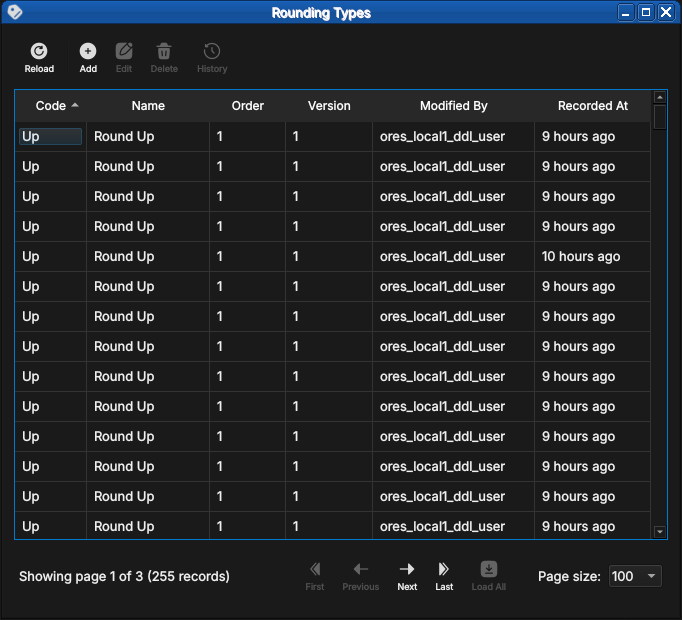
Figure 7: The Rounding Types list window showing the five standard rounding methods with their display order, version, and provenance.
Double-clicking a row opens the detail dialog, which shows the code, name, and a description that includes numeric examples at two decimal places.
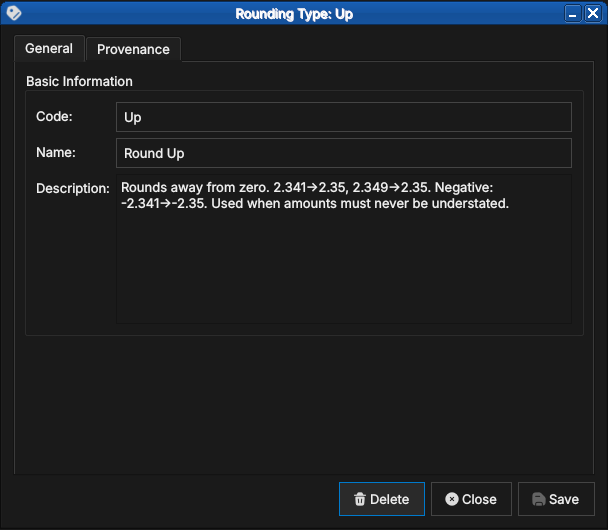
Figure 8: The detail dialog for the Up rounding type, showing the code, human-readable name, and a description with concrete examples.
There are five standard values:
Up
Rounds away from zero regardless of the fractional part. The amount is always moved to the next representable value in the direction away from zero.
Examples at 2 decimal places: 2.341 → 2.35, 2.349 → 2.35.
For negative amounts: -2.341 → -2.35.
Use Up when amounts must never be understated — for example, when
calculating a fee that must cover the full cost.
Down
Truncates toward zero. The fractional part is discarded.
Examples: 2.349 → 2.34, -2.341 → -2.34.
Use Down in conservative contexts where overstating an amount would
be the more serious error — for example, when reporting a liability
that should not be exaggerated.
Closest
Rounds to the nearest representable value, with halves rounded away from zero. This is the most common rounding mode for financial amounts and is the default for most fiat currencies.
Examples: 2.344 → 2.34, 2.345 → 2.35, -2.345 → -2.35.
Floor
Always rounds toward negative infinity — i.e., to the next lower
value regardless of sign. Unlike Down, which rounds toward zero,
Floor produces different results for negative amounts.
Examples: 2.349 → 2.34, -2.341 → -2.35.
Use Floor when rounding must never produce a value higher than the
unrounded input, even for negative amounts.
Ceiling
Always rounds toward positive infinity — i.e., to the next higher value regardless of sign.
Examples: 2.341 → 2.35, -2.349 → -2.34.
Use Ceiling when rounding must never produce a value lower than the
unrounded input.
Market Tiers
Market tiers classify currencies by liquidity profile and market accessibility. The classification feeds into margin calculations, settlement conventions, and risk limits in downstream analytics.
Open the Currency Market Tiers window from Reference Data → Classifications.
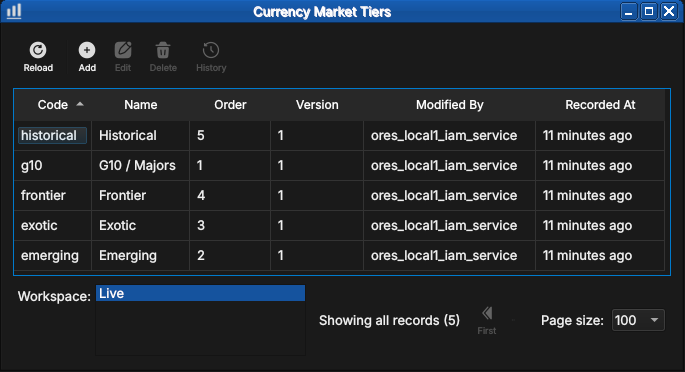
Figure 9: The Currency Market Tiers list showing all five standard tiers — historical, g10, frontier, exotic, and emerging — with their display order and provenance.
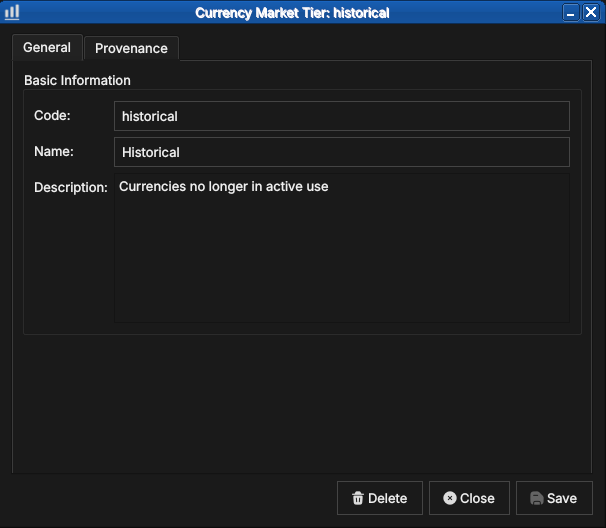
Figure 10: The detail dialog for the historical tier, showing the code, name, and description.
There are five standard tiers:
G10 / Majors
The ten most liquid and widely traded global currencies: USD, EUR, GBP, JPY, CHF, AUD, NZD, CAD, SEK, and NOK. G10 currencies have deep interbank markets, tight bid/offer spreads, and continuous 24-hour liquidity. They are the primary currencies for derivatives trading and the dominant funding and collateral currencies in global finance.
Emerging
Currencies from developing economies with growing but still maturing financial markets. They typically have moderate liquidity, wider spreads than G10, and may be subject to capital controls or central bank intervention. Examples include BRL (Brazilian Real), MXN (Mexican Peso), ZAR (South African Rand), INR (Indian Rupee), and CNY (Chinese Renminbi).
Exotic
Thinly traded currencies with wide bid/offer spreads and limited liquidity outside their domestic market. Forward markets may be shallow or absent. Examples include currencies of smaller African, Central Asian, or Pacific island nations.
Frontier
Currencies from frontier markets with limited or restricted convertibility. These may be pegged to a major currency, subject to official exchange rates, or carry transfer restrictions that make them impractical for cross-border settlement. Examples include currencies from markets classified as frontier by MSCI or FTSE Russell.
Historical
Currencies no longer in active use. This includes legacy eurozone currencies superseded by the Euro (DEM, FRF, ITL, ESP, and others), as well as currencies from defunct states or monetary unions. Historical currencies are retained in the system for back-office reconciliation and historical analytics on older trade populations.
Monetary Natures
Monetary nature classifies currencies by the underlying economic mechanism that gives them value. The classification matters for collateral eligibility, regulatory capital treatment, and the applicability of pricing models.
Open the Monetary Natures window from Reference Data → Classifications.
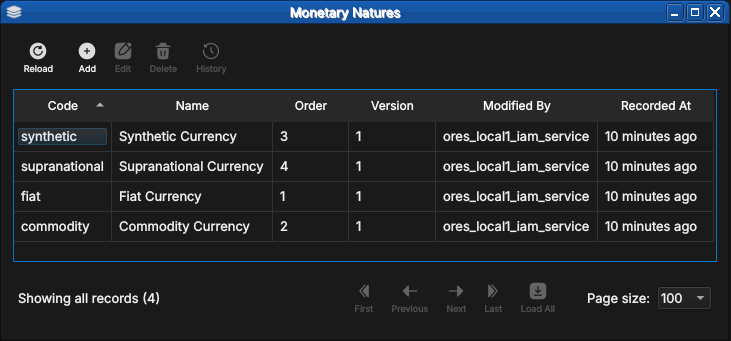
Figure 11: The Monetary Natures list showing all four standard values — synthetic, supranational, fiat, and commodity — with their display order and provenance.
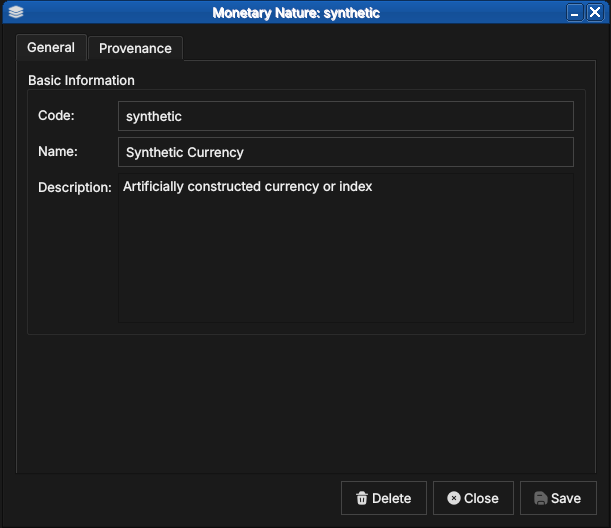
Figure 12: The detail dialog for the synthetic monetary nature, showing the code, name, and description.
There are four standard values:
Fiat
Government-issued currency that derives its value from legal tender status rather than from a physical commodity. The issuing central bank or treasury manages supply through monetary policy. The overwhelming majority of currencies in the ISO 4217 standard are fiat — USD, EUR, GBP, JPY, and so on.
Commodity
Currency backed by or representing a claim on a physical commodity.
In practice this covers the ISO 4217 commodity codes: XAU (gold),
XAG (silver), XPT (platinum), and XPD (palladium). Pricing is
driven by spot commodity markets rather than interest rate differentials.
Synthetic
Artificially constructed currency or index that does not correspond to any single government or commodity. Examples include basket currencies and internal transfer pricing units used within large financial institutions.
Supranational
Currency issued by a multi-national authority rather than a single
sovereign. The primary example is XDR (Special Drawing Rights),
issued by the International Monetary Fund as an international reserve
asset and valued as a basket of USD, EUR, CNY, JPY, and GBP —
reviewed and revised by the IMF every five years.
Shell commands
The ORE Studio interactive shell provides quick currency access without opening the Qt UI:
# List all currencies (paginated)
currencies get

# Add a new currency:
#   <iso_code> <name> <numeric_code> <symbol> <fractions_per_unit>
#   <change_reason_code> <change_commentary>
currencies add XTS "Test Currency" 963 T$ 100 system.test "manual example"

# Delete a currency by ISO code
currencies delete XTS

# Show history for a currency
currencies history USD
CLI commands
The ores.cli command-line tool provides a richer interface for
automation. All currency commands live under ores.cli refdata currencies:
# List all currencies as a table
ores.cli refdata currencies list --format table

# List a specific currency as JSON
ores.cli refdata currencies list --format json --key EUR

# Add a new currency
ores.cli refdata currencies add \
  --iso-code XTS --name "Test Currency" \
  --numeric-code 963 --modified-by operator \
  --currency-type fiat

# Delete a currency by ISO code
ores.cli refdata currencies delete --iso-code XTS

# Export all currencies to a file
ores.cli refdata currencies export --output currencies.json
Summary
This chapter documented the currency entity end to end. ISO 4217 provides the standard identity — code, numeric code, name, minor units — and OreStudio's extensions cover what the standard leaves out: market tiers, monetary natures for digital assets, display formatting, and rounding conventions. The Qt windows manage the records under the full data quality regime of the previous chapter, the three auxiliary classification tables govern the values a currency may reference, and the shell and CLI expose the same operations for scripted use. Currencies are the template: subsequent entity chapters follow this same shape.
See also
- ISO 4217 Currency Codes — the international standard for currency identification.
- SIX Financial Information — the ISO 4217 maintenance agency.
- MSCI Market Classification — framework for developed, emerging, and frontier market designations.