Countries
Table of Contents
This chapter examines the country as a reference-data entity in OreStudio. Countries are identified by the international ISO 3166-1 standard; the chapter sets out that standard and the gaps it leaves, the extensions OreStudio layers on top, and the complete lifecycle of managing country records — viewing, editing, deleting, and auditing them — through the Qt interface, the interactive shell, and the command-line tool.
1. Overview
The chapter advances the argument that managing a country well means first understanding what identifies it, then the interface that governs its lifecycle, and finally the programmatic equivalents — and it proceeds in that order. It begins by establishing the identity of a country in ISO 3166-1 and its limitations, which sets out the codes that name a country and the gaps in the standard that motivate OreStudio's extensions; this is the premise the rest of the chapter builds on. From there it surveys the body of records in The Countries window, explaining the list view, paging, and reloading, before narrowing to a single record in Country Details and its General and Provenance tabs. It then turns to changing a record under audit — Editing, Deleting, and Country history — culminating in reverting to an earlier version, the point at which the bitemporal audit trail does its work. Finally it shows the same operations automated from the shell, and the Conclusion draws these steps together.
2. ISO 3166-1 and its limitations
The international standard for country codes is ISO 3166-1. It defines three parallel codes for each country plus a short name:
- a two-letter alphabetic code,
alpha-2(US,GB,FR) — the most widely used form, and OreStudio's primary identifier; - a three-letter alphabetic code,
alpha-3(USA,GBR,FRA), which is more mnemonic and collision-resistant; - a three-digit
numericcode (840,826,250), drawn from the UN M49 series and language-independent; - the country's short name (e.g. United States).
ISO 3166-1 is near-universal, but it has gaps that matter in practice:
- It carries only a short name. The full official name (United States of America, French Republic) — needed for legal documents and reports — is not part of the standard.
- The country set is political and changes over time. Codes are added, withdrawn, and occasionally reassigned: a code freed by one country can later be given to another, so a bare code is not a stable historical key. ISO publishes transitional reservations, but consumers must still track the changes.
- It conflates countries with territories and dependencies and takes no position consistent with every user's expectations on contested or partially-recognised entities.
- It says nothing about visual identity — there is no flag or emblem in the standard.
- It does not model subdivisions (states, provinces); those are a separate standard, ISO 3166-2.
- A block of codes (
XAtoXZ) is reserved for private use, useful for fictional or internal entities that must not collide with real codes.
OreStudio uses the ISO 3166-1 fields as primary and extends the model with an official name and an optional flag image. The standard fields remain authoritative; the extensions are supplementary.
3. The Countries window
Open the Countries window from the Reference Data menu. It lists all countries defined in the tenant, one row per country, each row carrying the flag, alpha-2 and alpha-3 codes, numeric code, name, official name, version, last modifier, and when the record was last recorded.
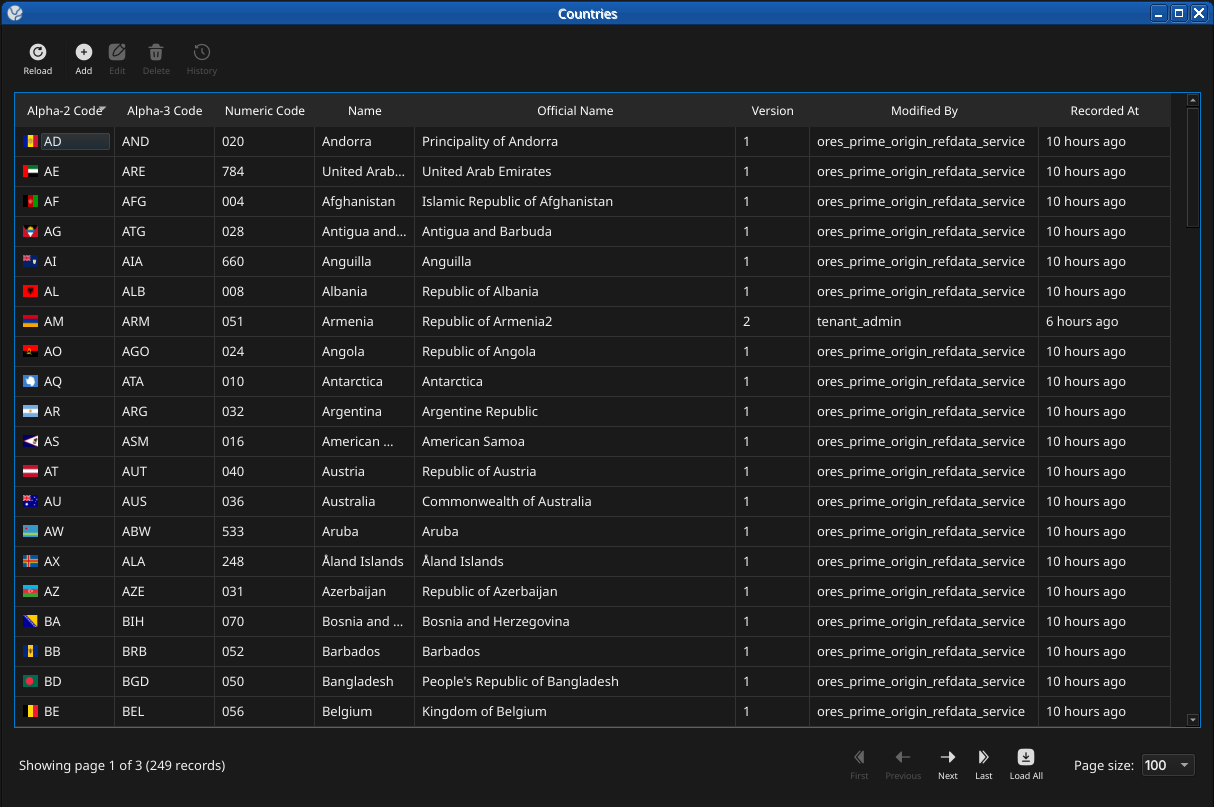
Figure 1: The Countries window, showing the full list of countries in the tenant. Each row shows the flag, alpha-2 and alpha-3 codes, numeric code, name, official name, version number, the identity of the last modifier, and when the record was last recorded. The status bar shows the current page and total record count.
The list is paginated; use the page controls at the bottom right to navigate the full set of countries. The toolbar buttons reload the list and open the add, edit, delete, and history actions.
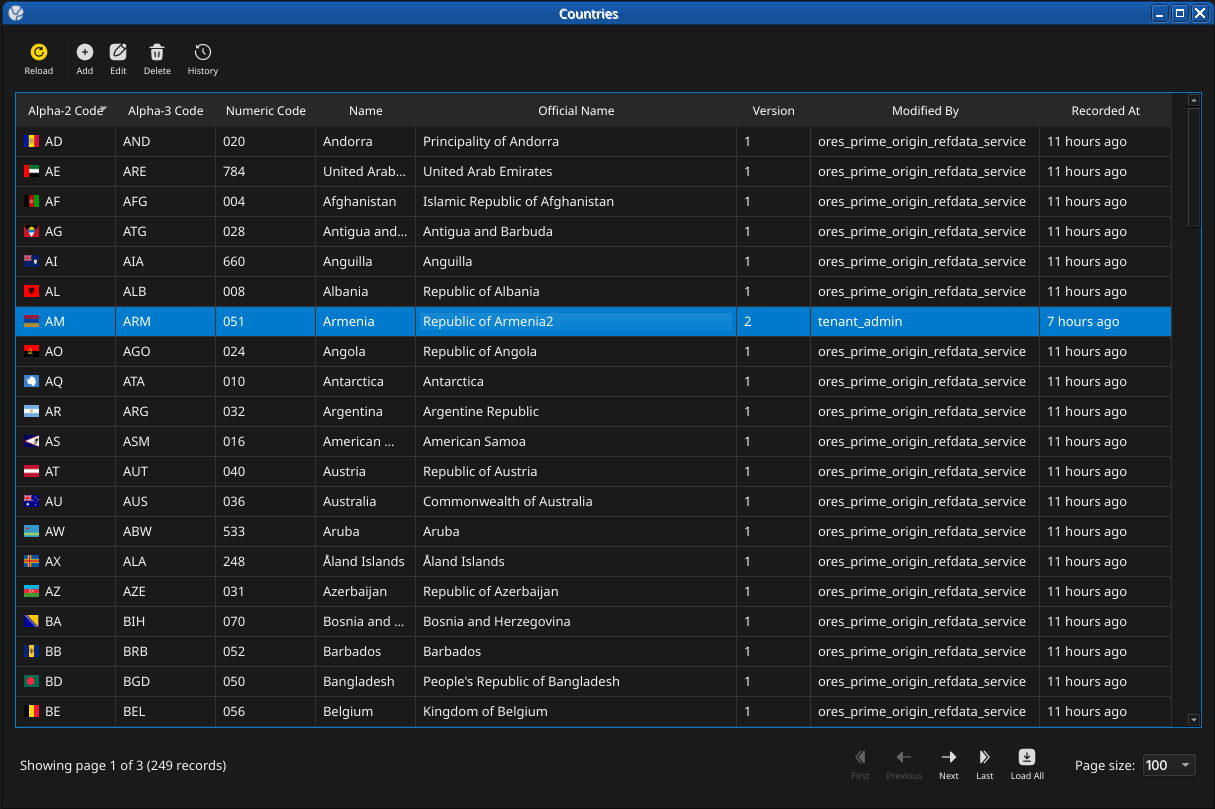
Figure 2: The toolbar Reload button refetches the current page from the server; recently-changed rows are briefly highlighted.
Double-clicking a row opens the Country Details dialog.
4. Country Details
The Country Details dialog has two tabs — General and Provenance — and an Icon group for the flag. The three action buttons at the bottom — Delete, Close, and Save — apply to the country as a whole.
4.1. General
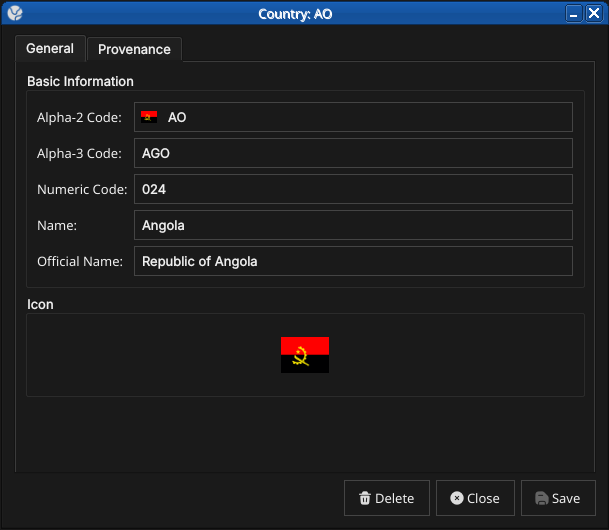
Figure 3: The General tab for a country. It shows the alpha-2 and alpha-3 ISO 3166-1 codes, the numeric code, the short name, the official name, and the country flag icon.
The General tab carries the core identity of the country:
- Alpha-2 Code — the two-letter ISO 3166-1 code. This is the primary key and cannot be changed after creation.
- Alpha-3 Code — the three-letter ISO 3166-1 code.
- Numeric Code — the ISO 3166-1 numeric code (e.g.
840for the United States). - Name — the country's short name (e.g. United States).
- Official Name — the full official name (e.g. United States of America), an OreStudio extension to the standard.
- Icon — the country flag, an OreStudio extension. Click the flag to choose a different image from the system's image dataset.
4.2. Provenance
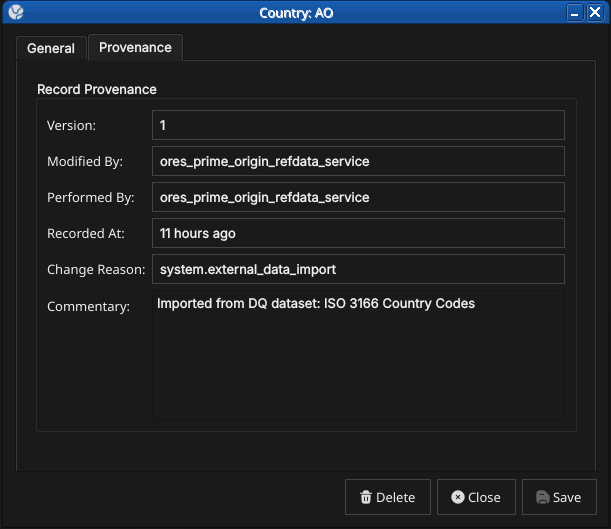
Figure 4: The Provenance tab showing record metadata: version number, the service that last modified the record, who performed the operation, when it was recorded, the change reason code, and a free-text commentary.
The Provenance tab is read-only and shows the audit metadata for the current version. See the Reference Data — Provenance section for a full description of the provenance fields common to all reference data entities.
5. Editing a country
To edit a country, open it in the Country Details dialog, make your changes, and click Save. Before the record is written, OreStudio prompts for a change reason — the same Change Reason Required dialog shown in the Currencies chapter, and not repeated here. Select a Reason from the drop-down and add optional Commentary, then confirm. Every save creates a new version; the previous version is never overwritten.
6. Deleting a country
To delete a country, open it and click Delete. OreStudio asks for confirmation before the record is closed off.
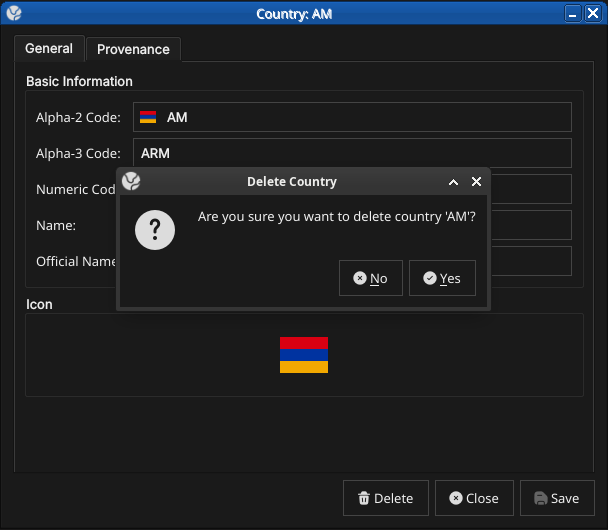
Figure 5: The confirmation prompt shown before a country is deleted. Deletion is a soft close — the record's history is preserved and remains visible in the History dialog.
7. Country history
To view the full change history, open the details dialog and click the history icon in the title bar, or right-click the row and choose History.
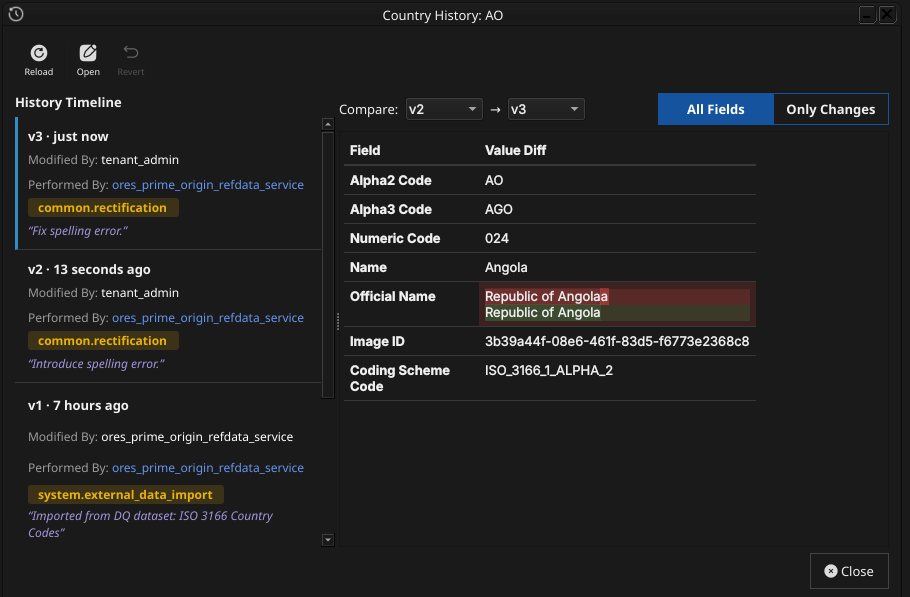
Figure 6: The History dialog for country AO (Angola), comparing version 2 against version 3. The Only Changes toggle narrows the field list to what actually differs between the two selected versions — here, a spelling correction to the Official Name.
Pick the two versions to compare from the Compare drop-downs. The All Fields / Only Changes toggle switches between showing every field and showing only the fields that differ between the two selected versions. The Revert button reinstates any historical version as a new version, preserving the full audit chain — the old version is never rewritten.
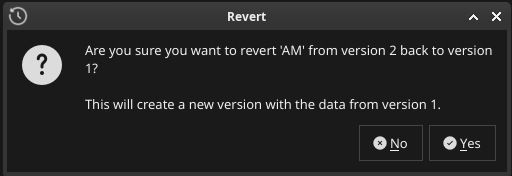
Figure 7: Choosing Revert on a past version asks for confirmation before staging the revert.
The revert opens the chosen version's values in an editable detail dialog; saving (with a change reason) writes them as the new current version.
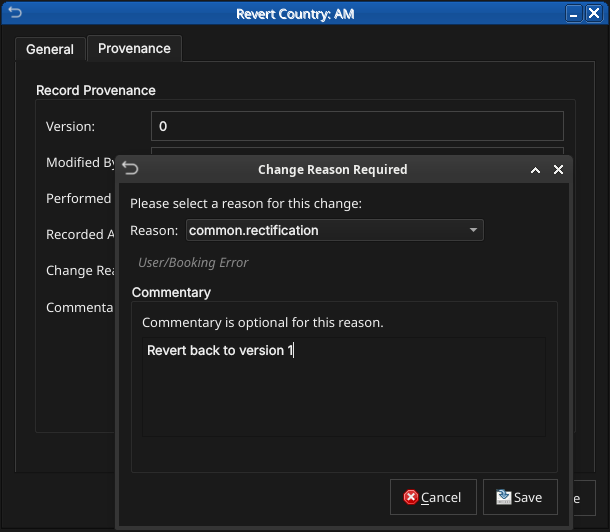
Figure 8: The reverted values open in the detail dialog ready to save as a new version, exactly like any other edit.
8. Shell commands
The ORE Studio interactive shell provides quick country access without opening the Qt UI:
# List all countries (paginated)
countries get

# Add a new country:
#   <alpha2> <alpha3> <numeric> <name> <official_name>
#   <change_reason_code> <change_commentary>
countries add XX XXX 999 "Test Country" "Test Country Official" system.new_record "manual example"

# Delete a country by alpha-2 code
countries delete XX

# Show history for a country
countries history GB
9. Conclusion
The chapter set out to show that managing a country well follows from understanding its identity, its interface, and its programmatic equivalents in turn, and it has traced exactly that path. ISO 3166-1 supplies the identity — alpha-2, alpha-3, and numeric codes with a short name — while OreStudio's extensions add the official name and the flag, filling the gaps the standard leaves. Building on that, the Qt interface took the record from the list view down to a single detail dialog and through the editing, deletion, and history workflows, where reverting to an earlier version demonstrated the bitemporal audit trail keeping the full record intact rather than overwriting it. The shell then reproduced the same operations for scripted use, closing the loop between interactive and automated management. Country is deliberately the same shape as the currency chapter, and the entity chapters that follow adopt the same progression.
10. See also
- ISO 3166 Country Codes — the international standard for country identification.
- UN M49 Standard Country Codes — the numeric-code series ISO 3166-1 draws on.
- Currencies — the template chapter this one mirrors.